Deskdrop for macOS
Lives in your menu bar.
A native SwiftUI app that sits one click away in the menu bar, with a command palette, a clipboard timeline and a Share extension for Finder. Pairs with your Windows and Linux machines as easily as with your phone.
Apple Silicon Macs · Version 1.3.3 · 8.9 MB
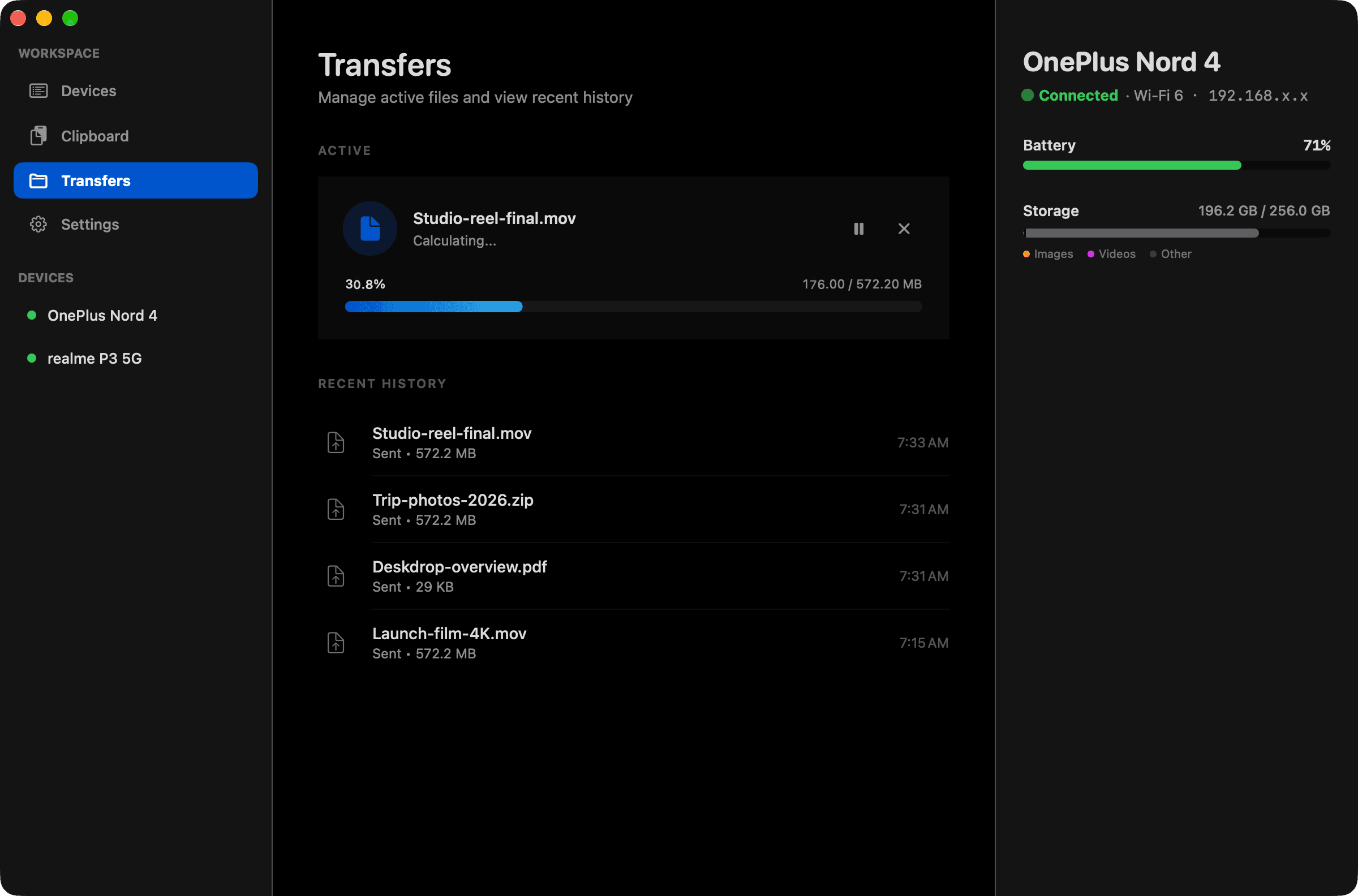
A tour
Every screen, in macOS's own words.
Built with Swift & SwiftUI, so it behaves like the rest of your Mac. Here is all of it, in whichever theme the site is in.
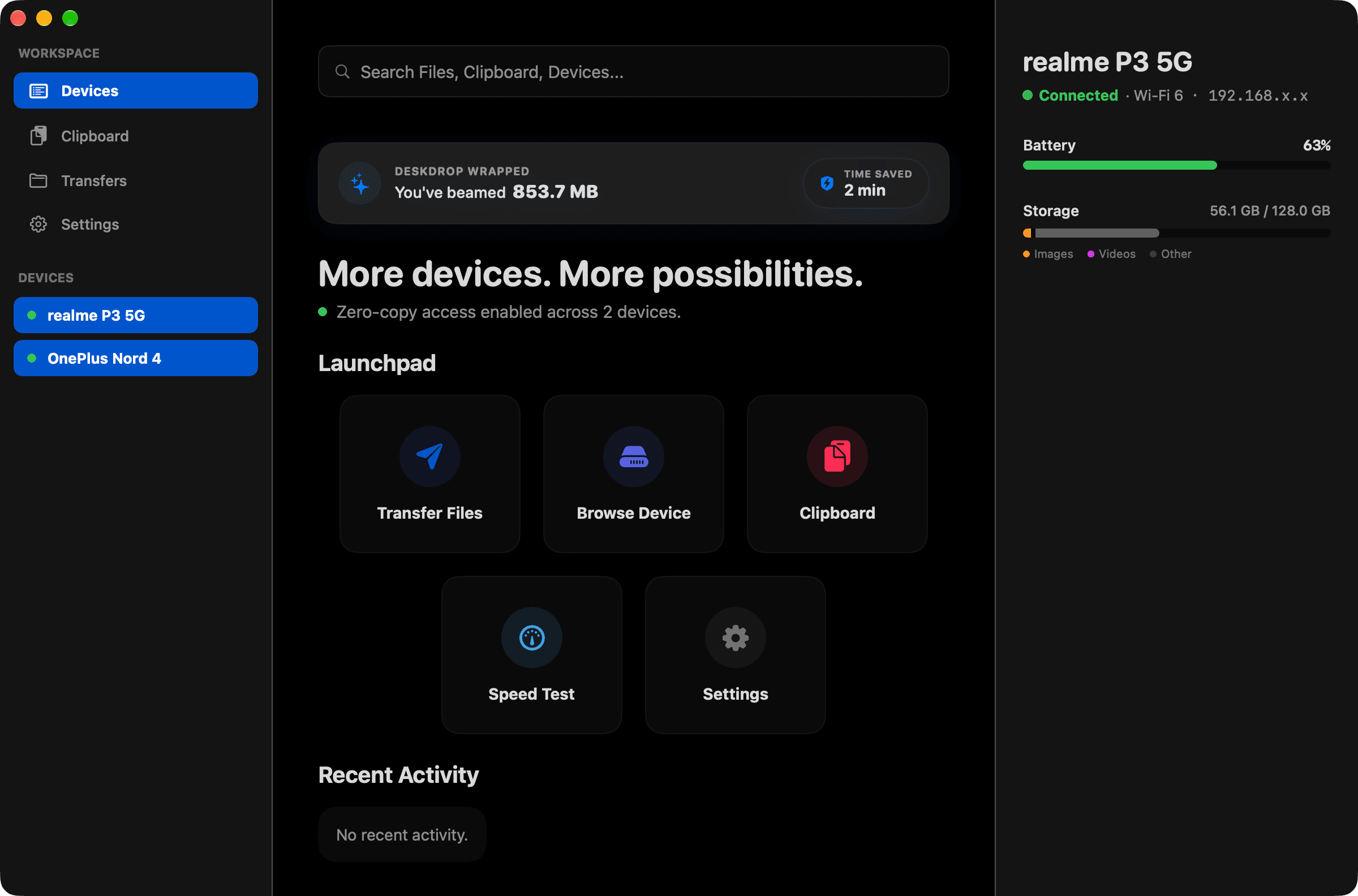
Devices. Every paired phone and computer, with battery, storage and a launchpad for what you do most.
Only on macOS
Made for where it runs.
Everything Deskdrop does everywhere, plus the things that only make sense on macOS.
Menu bar card
Dashboard, Quick Access, Send File and Push Clipboard, one click from anywhere.
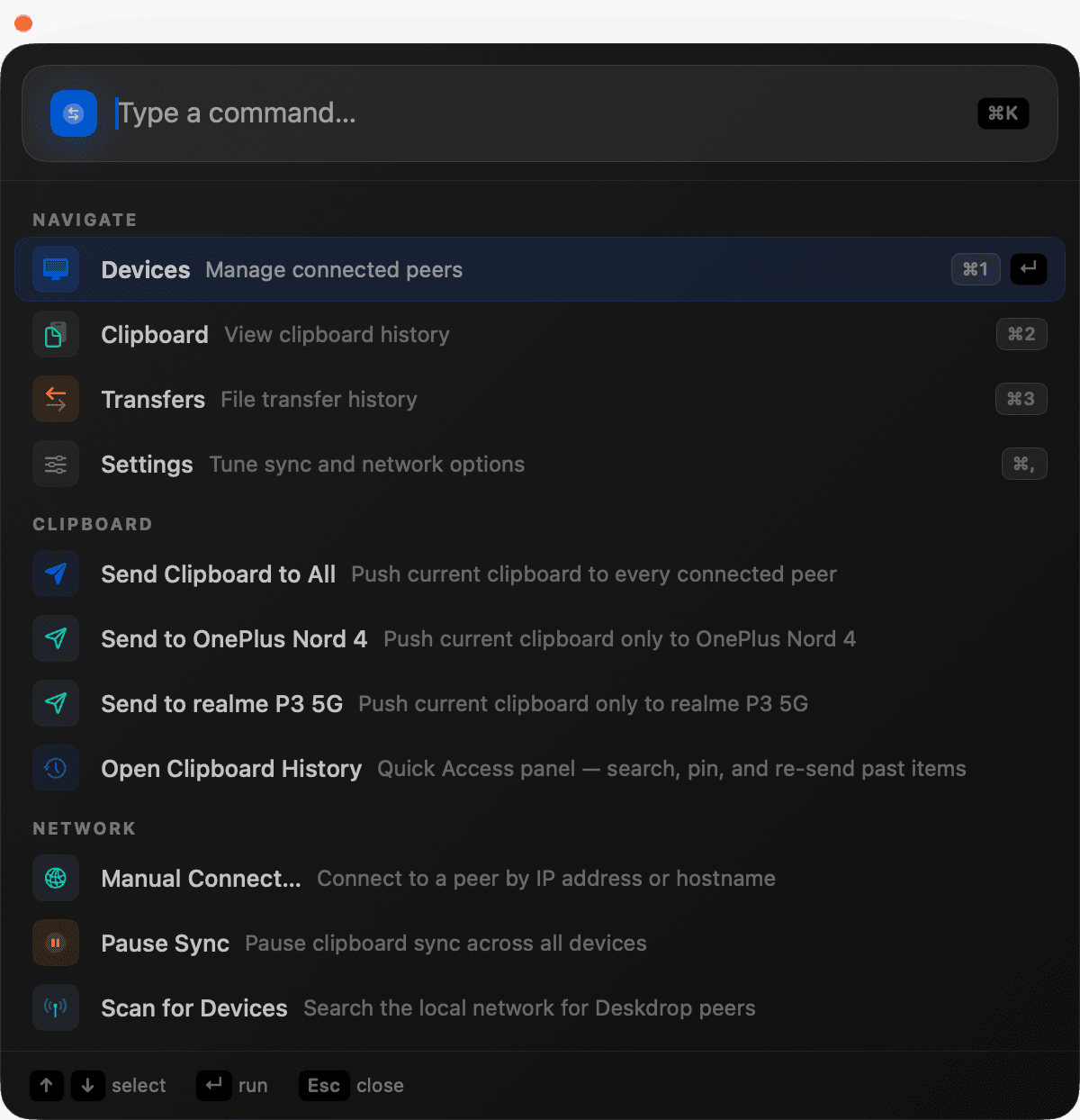
⌘K command palette
Every action is a keystroke away, with shortcuts for each page.
Share extension
Send from Finder, Photos or any app with a Share button.
Continuity camera
Use your Android phone as a webcam in any video app, over your local network.
Screenshot Sync
Take a screenshot on the Mac and it is already on your phone.
Stays awake for transfers
Holds off sleep while a big file is moving, then lets go.
Under the hood
Native on top. Rust underneath.
The app you see is written for this platform. The engine that finds devices, encrypts and resumes is the same Rust core on every one of them.
Swift & SwiftUI
The macOS app
deskdrop-core
Rust, over C-FFI
Your other devices
Wi-Fi, LAN or hotspot, encrypted
Get started
Up and running in a minute.
Install it here and on one more device on the same Wi-Fi, LAN or hotspot. They find each other; you confirm the PIN once.
- 1
Open the .dmg and drag Deskdrop into Applications.
- 2
If macOS blocks the first launch, open System Settings, Privacy & Security, and choose Open Anyway.
- 3
Deskdrop appears in the menu bar.
Deskdrop.dmg8.9 MB
Download
Bring your Mac to the desk.
Free, open source, and yours to run. Install it on two devices and they find each other.