Drop it here.
Pick it up anywhere.
Files and your clipboard, between every Mac, PC, phone and Linux machine you own. Over your own Wi-Fi, LAN or phone hotspot. No cloud, no account.
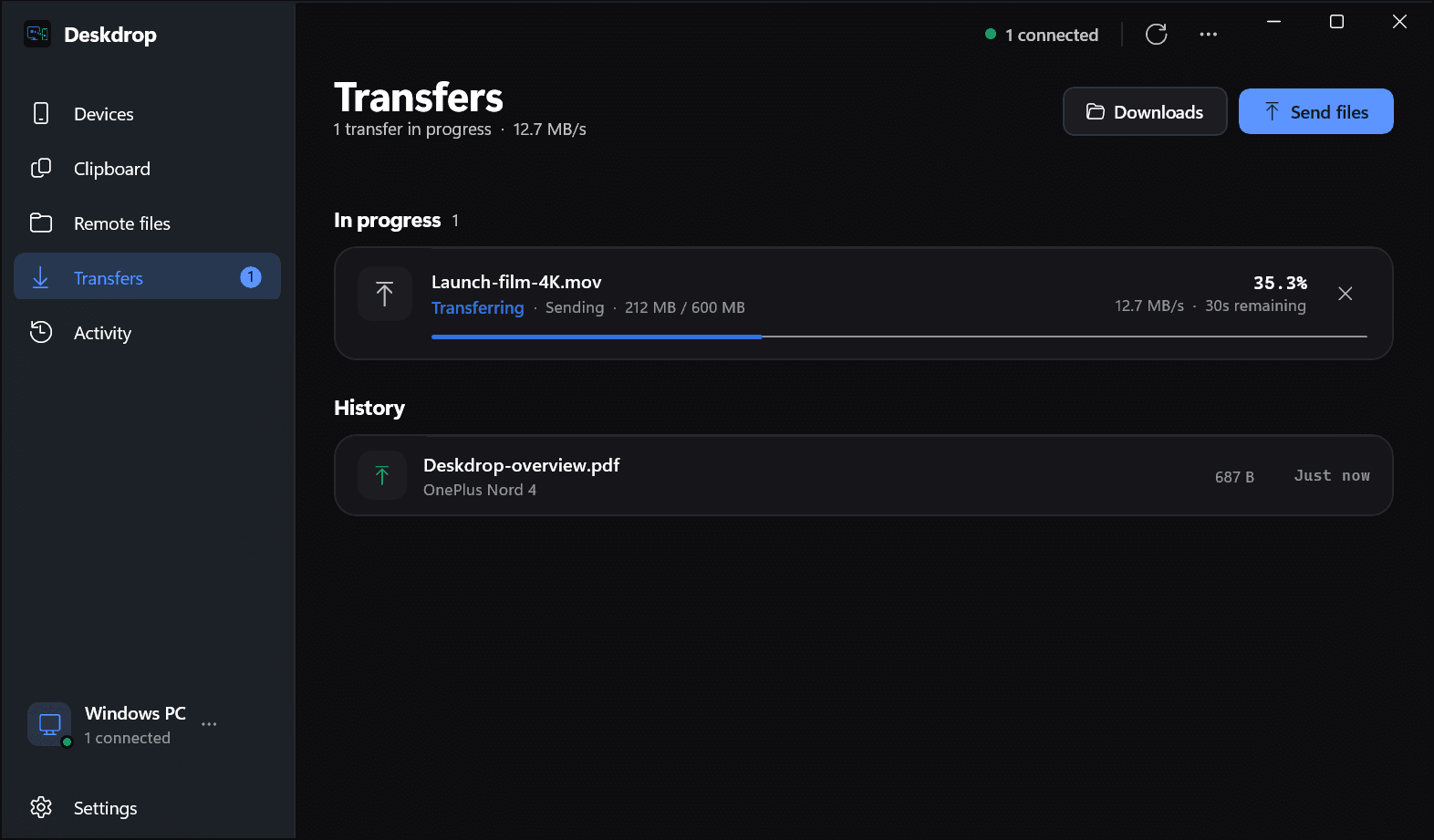
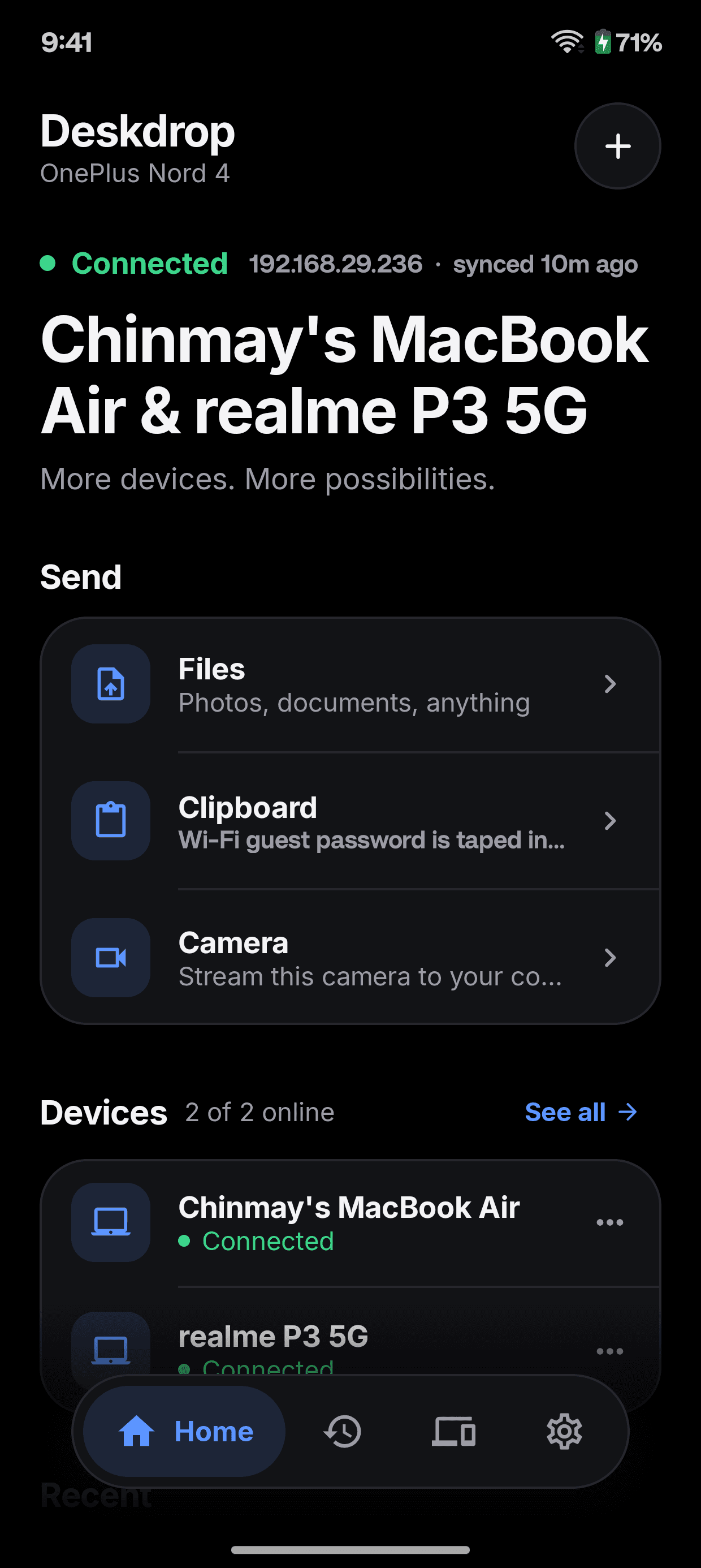
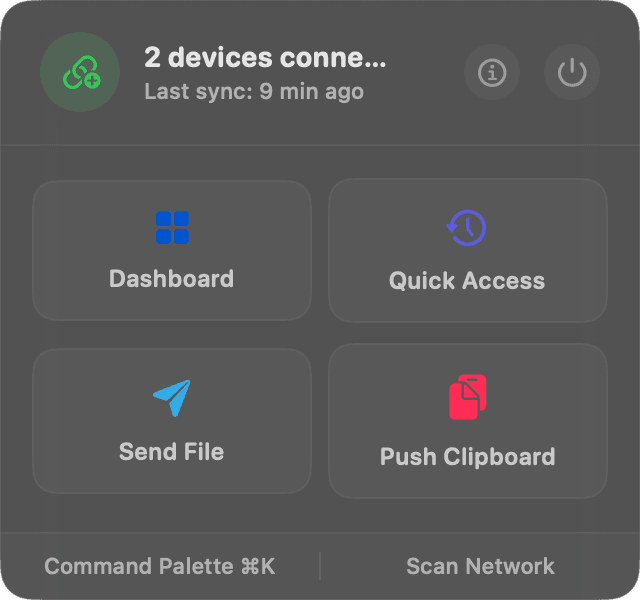
- Resumable transfers
- Clipboard history
- Secret filter
- Remote files
- Wireless webcam
- Call alerts
- Screenshot Sync
- Share sheet
- Command palette
- Battery status
- PIN pairing
- AES-256-GCM
Watch it work
See it work in under a minute.
Real screens from the Mac, Windows and Android apps: the clipboard, resumable transfers, your phone's files, notifications and the command line.
Works anywhere
Every device. Every network.
Mac to Windows, PC to phone, phone to phone. On home Wi-Fi, an office LAN, or just your phone's hotspot on a train.
Any pair of devices
Not just phone to computer. Pair your Mac with your Windows PC, your PC with a Linux box, or two phones with each other. Every device can talk to every other.
Mac ↔ Windows works exactly like phone ↔ computer.
Any network you have
Deskdrop needs a local network, not the internet. If both devices can see each other, they can pair. When discovery is blocked, connect by IP address instead.
Wi-Fi
Home, office or café. Devices on the same network find each other on their own.
Ethernet and LAN
A desktop on a cable and a laptop on Wi-Fi, behind the same router, just work.
Your phone's hotspot
No router around? Turn on the hotspot and join it from your laptop. Transfers stay between the two devices and never touch mobile data.
Universal clipboard
Copy on one.
Paste on all of them.
Whatever you copy is on your other devices a moment later, and in a history you can search from any of them. Anything that looks like a secret stays where it was copied. Try it.
Quick access
OnePlus Nord 4 · connected
Timeline
- Wi-Fi guest code is taped inside the cupboard. See you at 7!Text · MacBook Air · 5m ago
- Studio address: 14 Carter Road, Bandra West, MumbaiText · MacBook Air · 5m ago
- Flight AI 2416, Terminal 2, Gate 12. Boards 07:10Text · MacBook Air · 6m ago
Dropped Wi-Fi doesn't start it over. Big files finish.
Send a 2 GB video across the room. If the network blips, Deskdrop carries on from the last piece that arrived.
Picks up where it stopped
Every chunk the other device confirms stays confirmed. When the link comes back, the transfer continues from there, not from zero.
Speed follows the link
More chunks in flight on a fast network, fewer on a slow one, and videos or zips skip pointless compression.
Your laptop stays awake
It will not doze off halfway through a big file. Sleep is held off until the last byte is in.
Command palette
Everything, one keystroke away.
Send, push, pair, pause and scan without reaching for the mouse. This one works: click in and type. And press anywhere on this site for ours.
Navigate
DevicesManage connected peers⌘1↵- ClipboardView clipboard history⌘2
- TransfersFile transfer history⌘3
- SettingsTune sync and network options⌘,
Clipboard
Send Clipboard to AllPush current clipboard to every connected peer- Send to OnePlus Nord 4Push current clipboard only to OnePlus Nord 4
- Send to realme P3 5GPush current clipboard only to realme P3 5G
- Open Clipboard HistorySearch, pin, and re-send past items⌘⇧V
Network
Manual Connect…Connect to a peer by IP address or hostname- Pause SyncPause clipboard sync across all devices
- Scan for DevicesSearch the local network for Deskdrop peers
Click the field, type to filter, arrows to move.
↑↓ select↵ runesc clearAnd the rest
Your phone, part of your desk.
Once two devices trust each other, a lot more than files and text can cross between them.
OnePlus Nord 4 / Shared
Browse your phone from your desk
Open the folders your phone shares, see thumbnails, and pull down only the file you need.
Incoming call · OnePlus Nord 4
Chinmay Kudalkar
+91 98•• ••4210
Calls and texts, on screen
When your phone rings in another room, your computer tells you who it is.
Your phone is the webcam
Stream its camera into any video app on your computer, over your local network.
ImagesVideosOther
Battery at a glance
See your phone's charge and free space from the desktop.
Screenshot Sync
Take a screenshot on the Mac. It is already on your phone.
Share with Deskdrop
In every share menu
Send from any app on Android, or from Finder and File Explorer.
Sleep held off
Until cut-v3.mov finishes
Stays awake for big files
Your laptop will not doze off halfway through a transfer.
~ $
A real CLI
Script everything the apps do, over the same local socket.
Native everywhere
Four real apps. Not one app in four wrappers.
SwiftUI on the Mac, WinUI on Windows, Compose on Android and a systemd service on Linux, all driving the same Rust engine. Every one comes in light and dark.
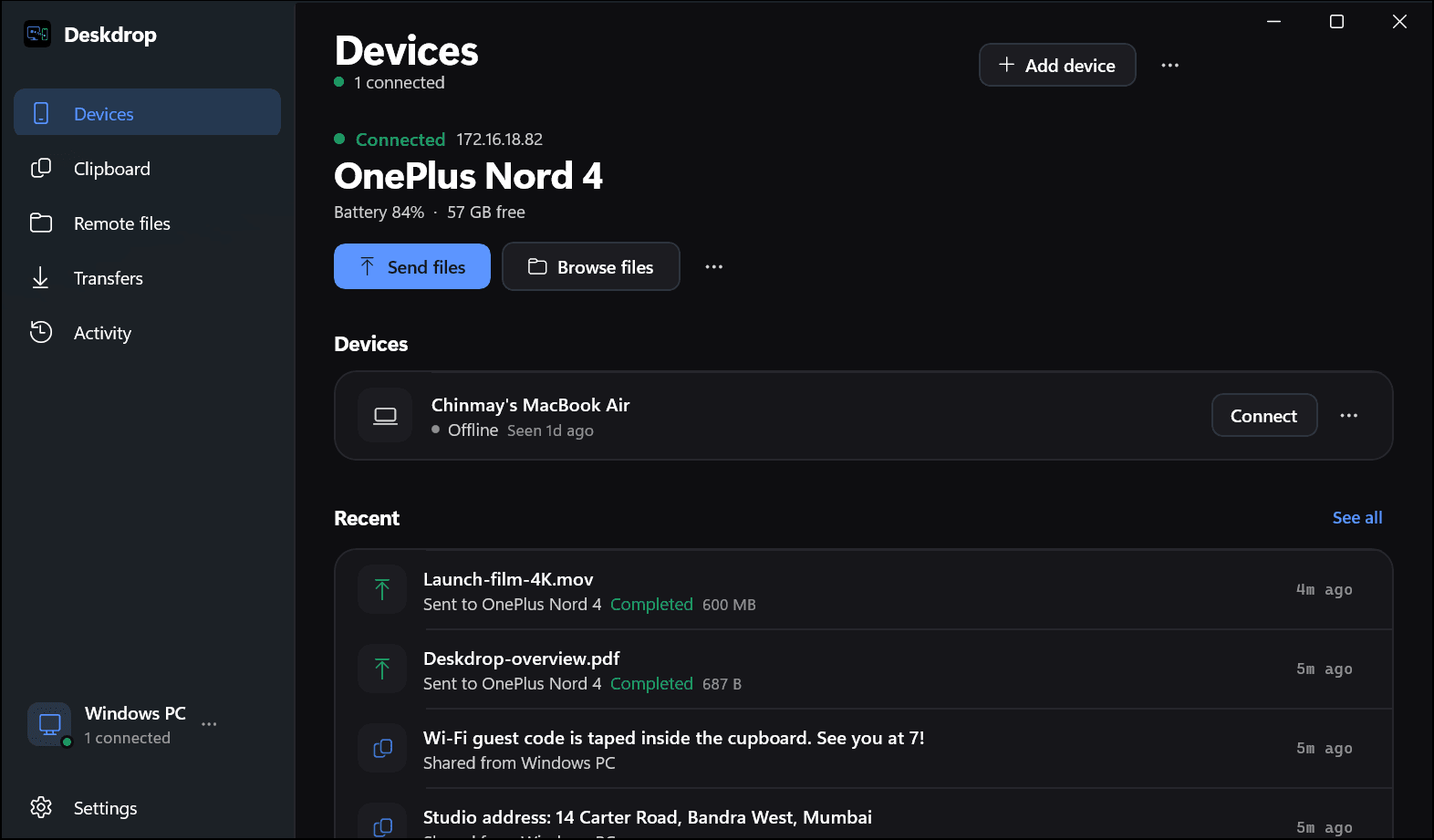
Devices. Your connected phone front and centre, with battery, free space, and one click to send or browse its files.
Security
Your Wi-Fi is not trusted. Neither is anything on it.
Being on the same network gets a device nothing. You pair once by checking that both screens show the same six digits, and from then on every byte is encrypted end to end.
MacBook Air
048 291
Match
OnePlus Nord 4
048 291
Match
X25519
Fresh keys every session
AES-256-GCM
Every frame, both directions
SHA-256 pin
A swapped key ends the session
Counter nonces
Replayed frames are rejected
Local only
No relay, no server, no account
Zeroized
Secrets wiped from memory after use
- platforms, each with its own native app
- 4
- Rust core underneath all of them
- 1
- servers between your devices
- 0
- keys on every connection
- 256-bit
Compared
What the others leave out.
LocalSend moves files. KDE Connect mirrors your phone. AirDrop only speaks Apple. Deskdrop does all three jobs, on every platform.
Resumes interrupted transfers
- Deskdrop
- LocalSend
- KDE Connect
- AirDrop
Searchable clipboard history
- Deskdrop
- LocalSend
- KDE Connect
- AirDrop
Keeps codes and keys off the clipboard
- Deskdrop
- LocalSend
- KDE Connect
- AirDrop
Browse files on another device
- Deskdrop
- LocalSend
- KDE Connect
- AirDrop
Notification and call mirroring
- Deskdrop
- LocalSend
- KDE Connect
- AirDrop
Works across Mac, Windows, Android, Linux
- Deskdrop
- LocalSend
- KDE Connect
- AirDrop
Put every device on the same desk.
Free, open source, and yours to run. Install it on two devices and they find each other.